About Root Explorer
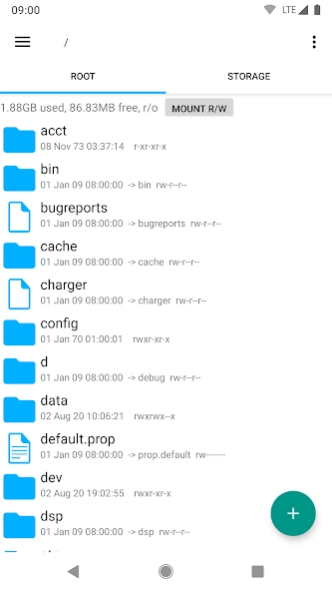
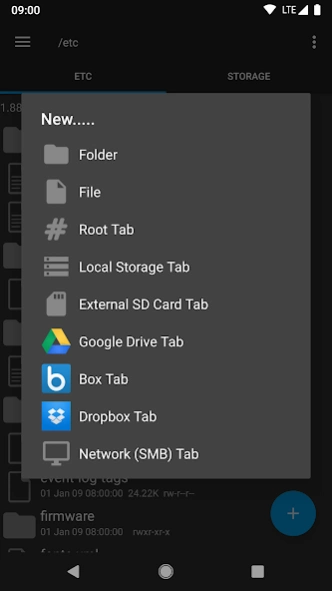
Root Explorer is the ultimate file manager for root users. Access the whole of android's file system (including the elusive data folder!). Features include multiple tabs, Google Drive, Box, Dropbox and network (SMB)...
Root Explorer is the ultimate file manager for root users. Access the whole of android's file system (including the elusive data folder!).
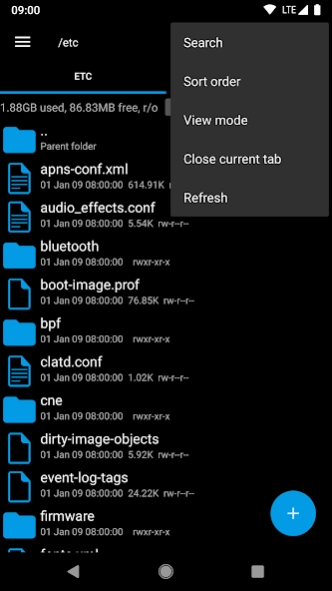
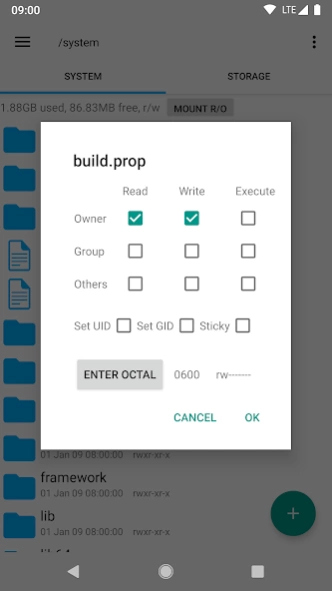
Features include multiple tabs, Google Drive, Box, Dropbox and network (SMB) support, SQLite database viewer, Text Editor, create and extract zip or tar/gzip files, extract rar archives, multi-select, execute scripts, search, remount, permissions, bookmarks, send files (via email, bluetooth etc), image thumbnails, APK binary XML viewer, change file owner/group, create symbolic link, "Open With" facility, MD5, create shortcuts.
For fast, friendly support simply email us:
[email protected]
We will always try to help with any problem you may have with the app. If we can't help then you can have a refund, no questions asked.
Although 22,000+ five star ratings will tell you that most people are very satisfied customers. Make sure you read as many comments as possible to get a good idea of what most people think of the app.
We still respect the old 24 hour refund policy. So if you're not happy with the app just email us within 24 hours and you can have a refund. We'll need to know the order number, which you can find on the emails sent to you by Google when you downloaded.
Why compromise? Get the original and the best!
New permissions:
Full network access - Required for network and cloud access. No information is passed to us over the internet.
Add or remove accounts - Used by the Google Drive SDK to add a new account if desired. No changes are made to existing accounts and no details accessed apart from the account name.
Find accounts on the device - Used to list available accounts for logging into Google Drive.
Prevent from sleeping - Used to stop the device sleeping during long operations so they are not interrupted.
Previous Versions
Here you can find the changelog of Root Explorer since it was posted on our website on 2015-04-27 03:00:00.
The latest version is 4.12.3 and it was updated on 2024-04-22 18:09:11. See below the changes in each version.
Root Explorer version 4.12.3
Updated At: 2023-10-29
Changes: Updated target API level to 33
Root Explorer version 4.12.2
Updated At: 2023-09-19
Changes: • Allow access to all contents of /data/data folder when using KernelSU on Android 13. Note that version 0.5 or higher of KernelSU is required for this to work.
• Fix a problem opening system text files on a small number of devices.
Root Explorer version 4.12.1
Updated At: 2023-08-27
Changes: Fixed problem with SMB anonymous access. To do this the old SMB code was reinstated, so unfortunately SMB3 support is no longer available. SMB3 will be added again when it can be done without breaking anything else! Sorry for the inconvenience.
Root Explorer version 4.12
Updated At: 2023-08-09
Changes: Support for SMB v3 in networking tab
Root Explorer version 4.11.5
Updated At: 2023-03-13
Changes: A few minor bug fixes
Root Explorer version 4.10.3
Updated At: 2021-10-18
Changes: . Faster opening of USB drives in Android 12
. Small correction in Korean translation
Root Explorer version 4.10.2
Updated At: 2021-09-09
Changes: Support for Dropbox short-lived auth tokens. This update is required for logging into Dropbox after 30th September, when Dropbox end support for obtaining long-lived tokens.
Root Explorer version 4.10.1
Updated At: 2021-07-16
Changes: . Added yellow, blue, red and white options for folder color in preferences
. Display music icon for .flac files
Root Explorer version 4.10
Updated At: 2021-05-25
Changes: . Show space usage for cloud and network tabs
. Make database grid respect dark themes
. Lightened selected item colour in Dark theme to improve visibility
. Fix for refresh not happening on rename in /sdcard path
. Fix for database grid not showing all columns when display size is increased
Root Explorer version 4.9.2
Updated At: 2021-04-23
Changes: . Extract Here option for archives
. Show space usage for USB drives
. A few minor tweaks and fixes
Disclaimer
Official Google Play Link
We do not host Root Explorer on our servers. We did not scan it for viruses, adware, spyware or other type of malware. This app is hosted by Google and passed their terms and conditions to be listed there. We recommend caution when installing it.
The Google Play link for Root Explorer is provided to you by apps112.com without any warranties, representations or guarantees of any kind, so access it at your own risk.
If you have questions regarding this particular app contact the publisher directly. For questions about the functionalities of apps112.com contact us.